

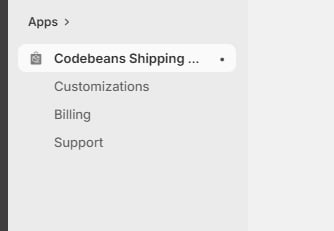
The app's section in the Shopify admin nav
- Customizations — where you create, edit, enable/disable, and delete shipping rules. This is where you’ll spend most of your time; see The customizations list.
- Billing — hands you over to Shopify’s plan page in the admin, where plans are chosen and changed; see Choosing a plan.
- Support — how to reach the team if something isn’t working; see Getting help.