

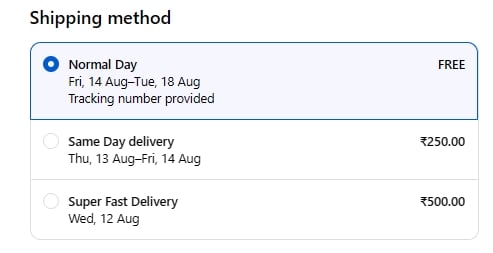
Checkout — three methods, no rule applied
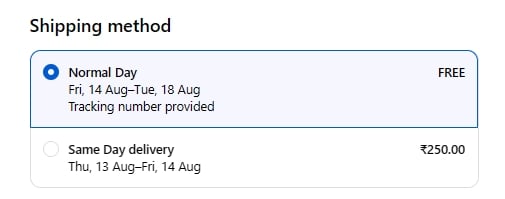
Checkout — Super Fast Delivery hidden by the rule
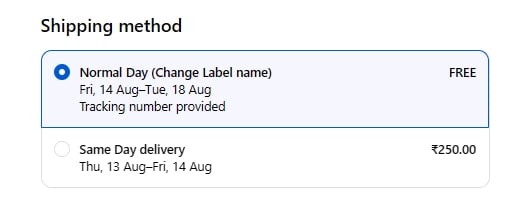
Checkout — method showing its renamed label
Checkout can cache shipping rates briefly. If a change doesn’t seem to have taken effect, refresh the checkout page or start a new cart before assuming the rule isn’t working — see Getting help if it still doesn’t apply.
Testing a rule that depends on the customer
Shopify remembers the rates it was given for about 15 minutes, and it decides whether two carts are “the same” from the products, quantities, weights and the delivery address — not from who the customer is. That matters when a dynamic rate uses a customer condition, such as a customer tag or how much someone has spent. If you test the same cart to the same address twice, the second test can show you the rate from the first one, even when the two customers should get different results. To test one of these rules properly, change something Shopify counts as part of the cart:- use a different product, or a different quantity, or
- ship to a different address, or
- wait about 15 minutes between tests.
This applies only to rules with customer conditions. A rule based on cart value, weight, products or destination is unaffected, because everything it depends on is already part of what Shopify compares.